All routes on one map
Every workout with a GPS route is drawn together and coloured by activity: running, walking, hiking, cycling and more.
MyMoveTrack your moves
Workout routes, mapped
MyMove reads the workouts in Apple Health that have a GPS route and draws them all together. Revisit a favourite run, follow years of walks and see exactly where you have been.
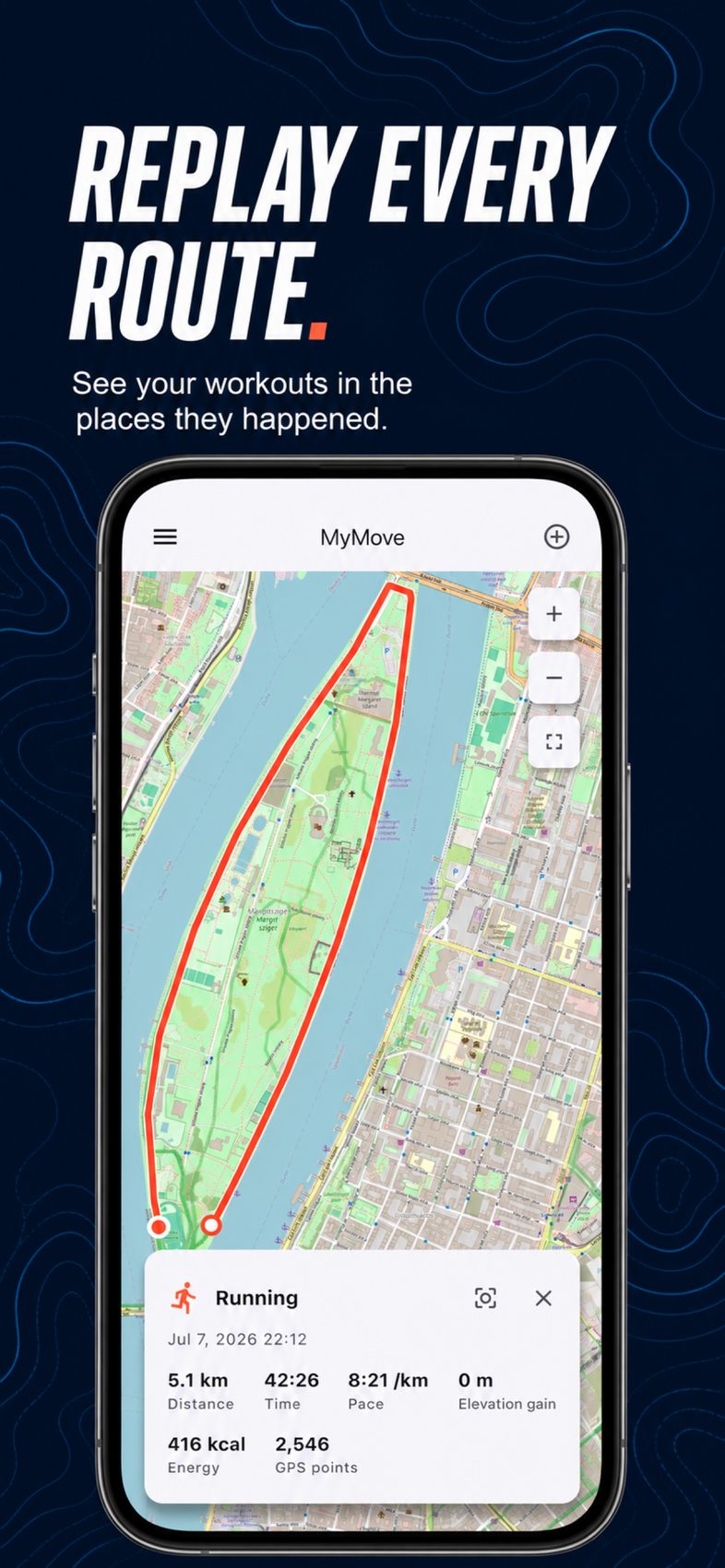
Open the app, load your workouts once, and explore.
Every workout with a GPS route is drawn together and coloured by activity: running, walking, hiking, cycling and more.
Narrow the map by date range and by activity, or show only workouts that recorded a GPS route.
Tap a route on the map or an entry in the list to see distance, duration, pace, elevation gain, energy and the number of GPS points.
Photos you took during a workout show up with it, and on the map where they were taken. They are read in place and never copied.
Load straight from the Health app, or use an export.zip or a folder of GPX files if you prefer.
Routes are cached on your device, so the map is back at once. Light and dark themes, in English or Hungarian.
iOS asks to read your Health data. Allow “Workouts” and “Workout Routes” to see routes.
MyMove reads your workouts and their GPS routes. With years of history this can take a minute, and progress stays visible.
All routes appear at once. Select one from the list or by tapping the map.
The App Store screenshots.
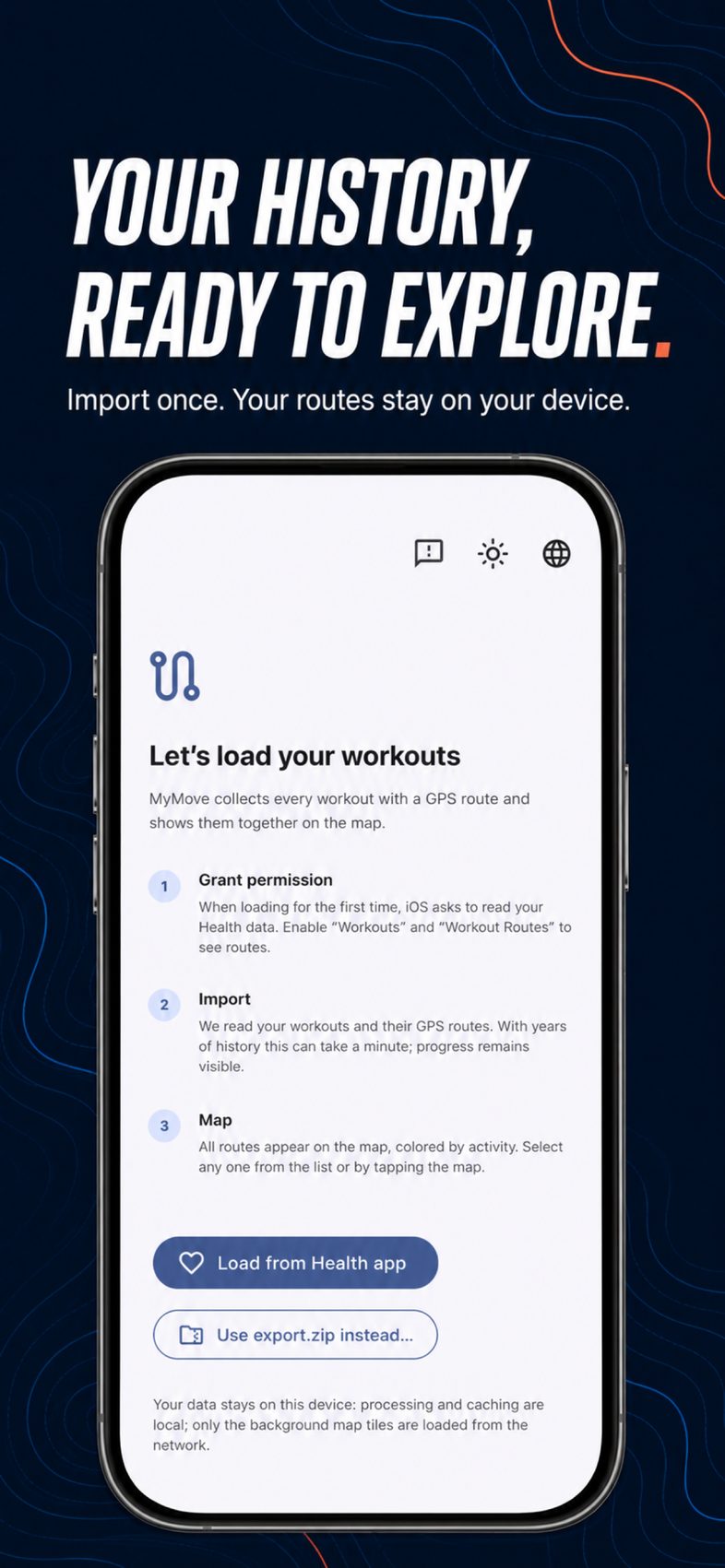
MyMove has no account and no server. What it reads stays on your device.
MyMove can only show workouts that recorded a GPS route. Check that “Workouts” and “Workout Routes” are allowed under Settings > Privacy & Security > Health > MyMove. Indoor workouts have no route.
No. It only reads. It never writes to the Health app.
Your workouts load without one. The map background needs a connection to download its tiles.
Yes. There are no ads and no in-app purchases.
Use the feedback button in the app, or write to the support address.
MyMove - Track your moves is on the App Store for iPhone and iPad (iOS 18.6 or later).