What Photos shows
155 GB
One number for the whole library.

HeftPhoto Storage
Photo storage, explained
Photos tells you the library is 155 GB. Heft shows you what is inside that number, and which individual photos and videos are responsible. Everything runs on your device.
Heft behaves like TreeSize or WinDirStat for your photos, not like a gallery.
What Photos shows
155 GB
One number for the whole library.
What Heft shows
What is inside it
An illustrative example, not your library.
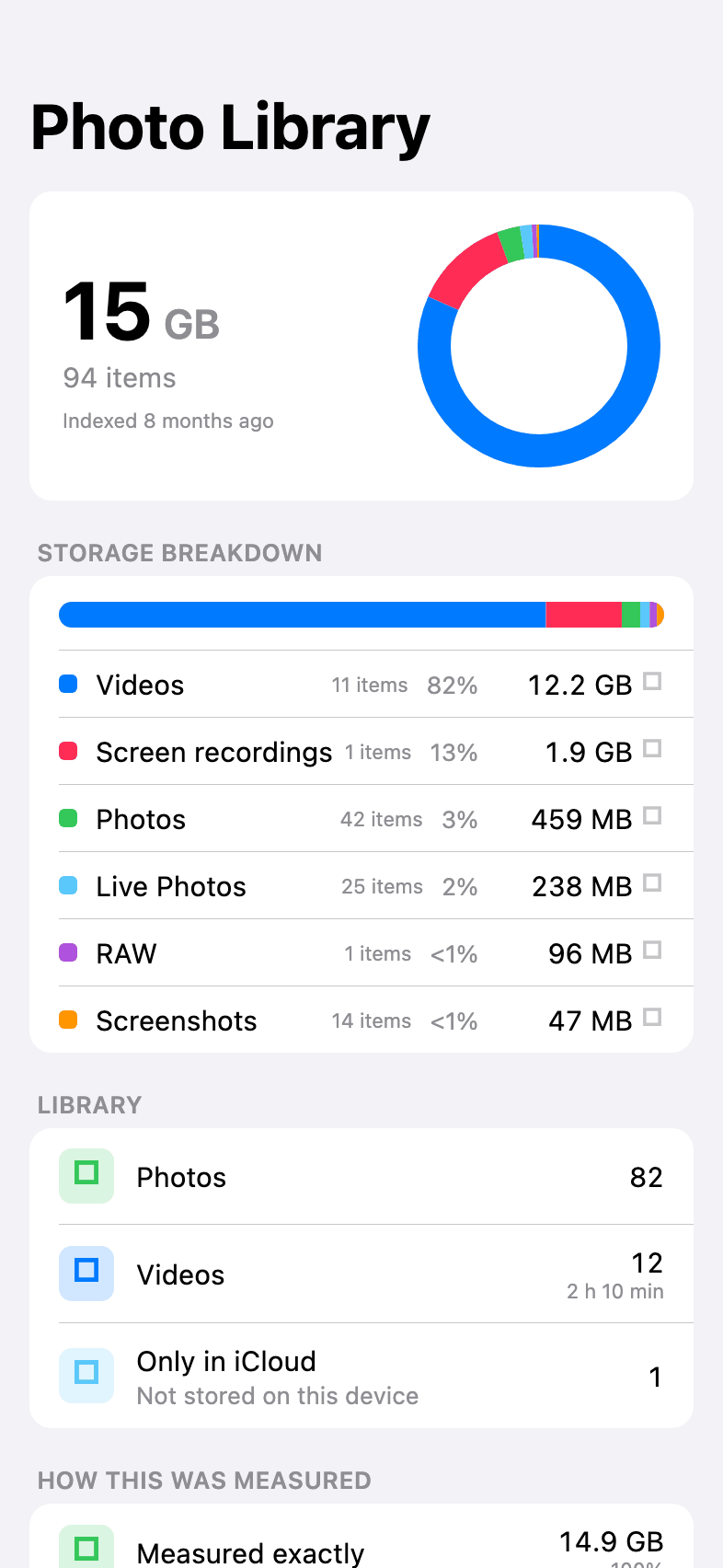
Every number comes from your library’s own metadata and says whether it was measured exactly or estimated.
Videos, photos, Live Photos, screenshots, RAW and screen recordings, each with its share of the total.
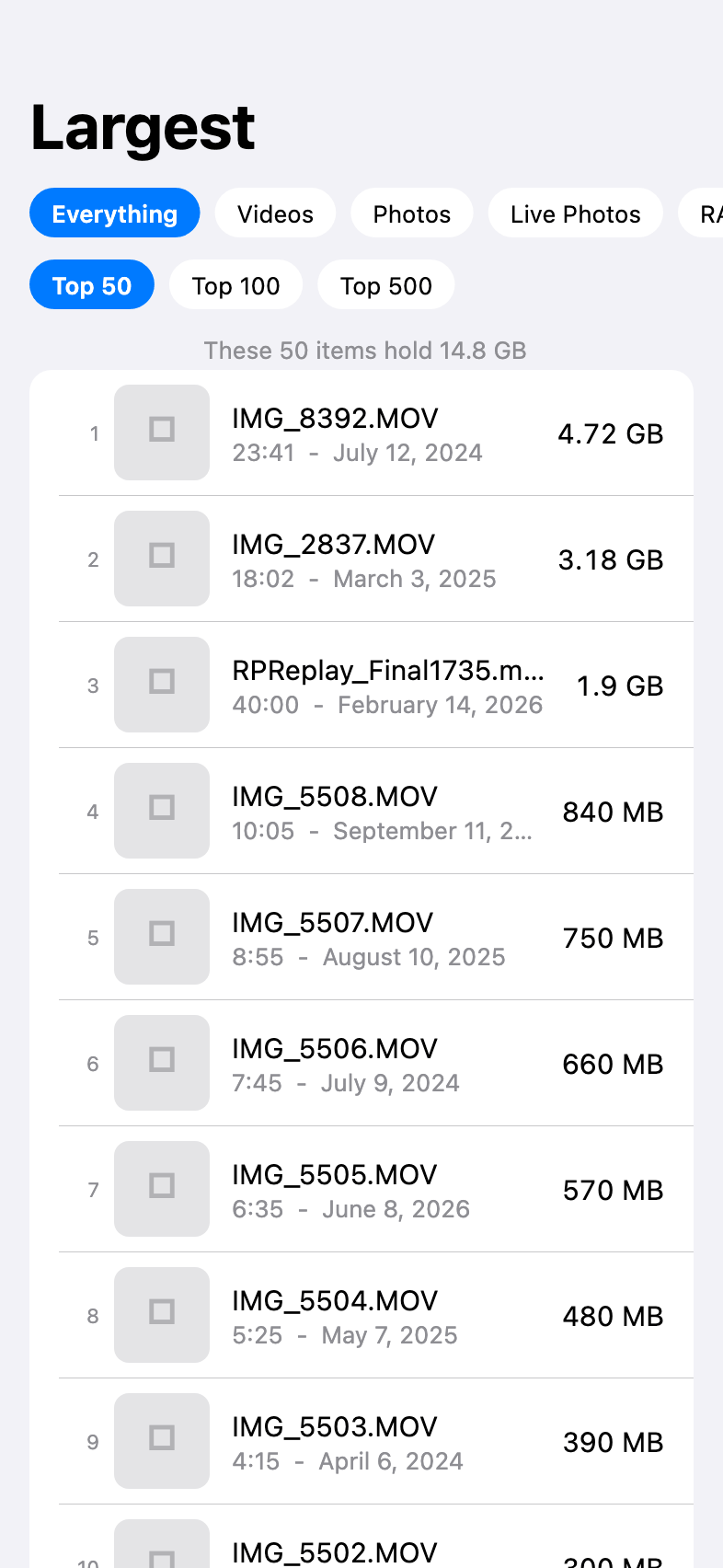
Rank the whole library by size or duration and see what is actually worth acting on.
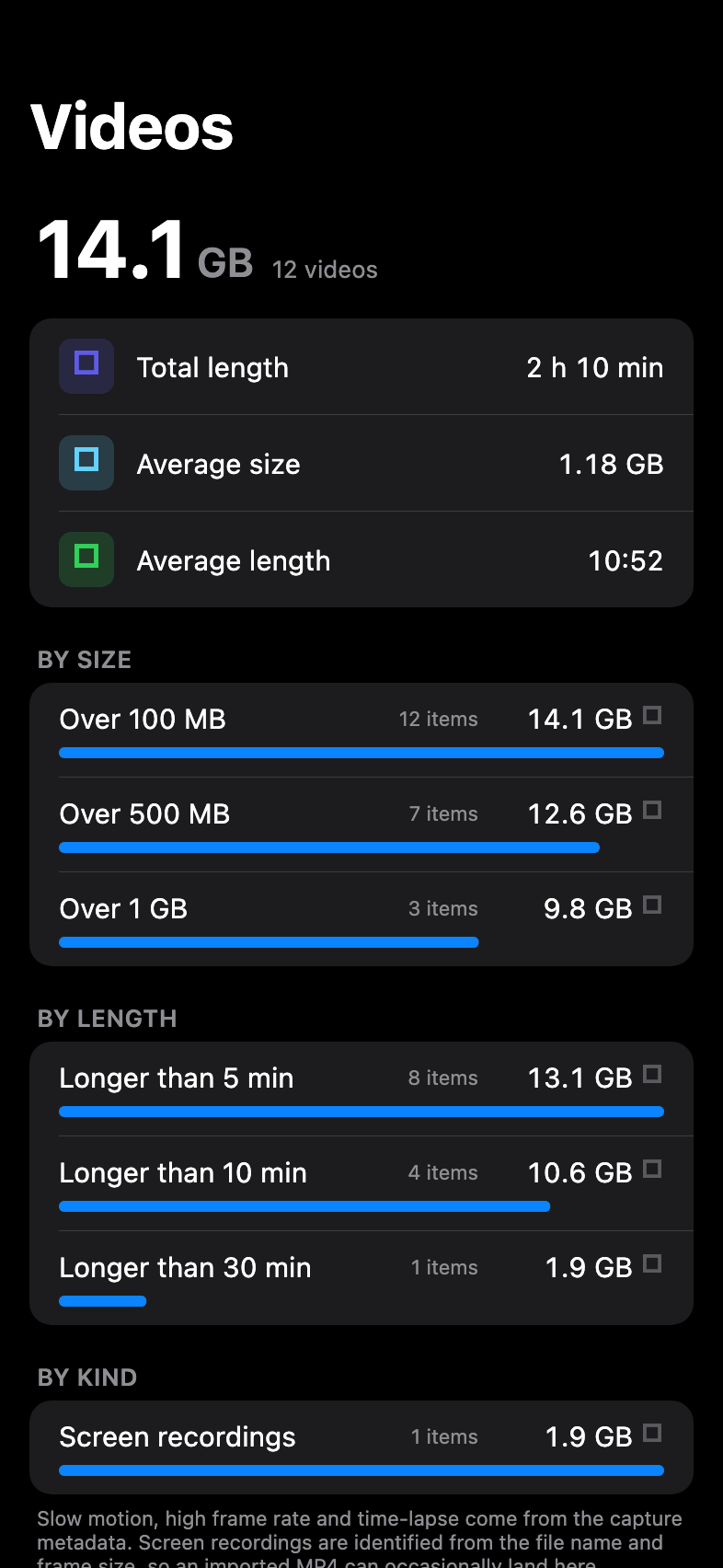
Totals, averages and buckets by size, length and kind: slow motion, time-lapse, high frame rate, screen recordings.
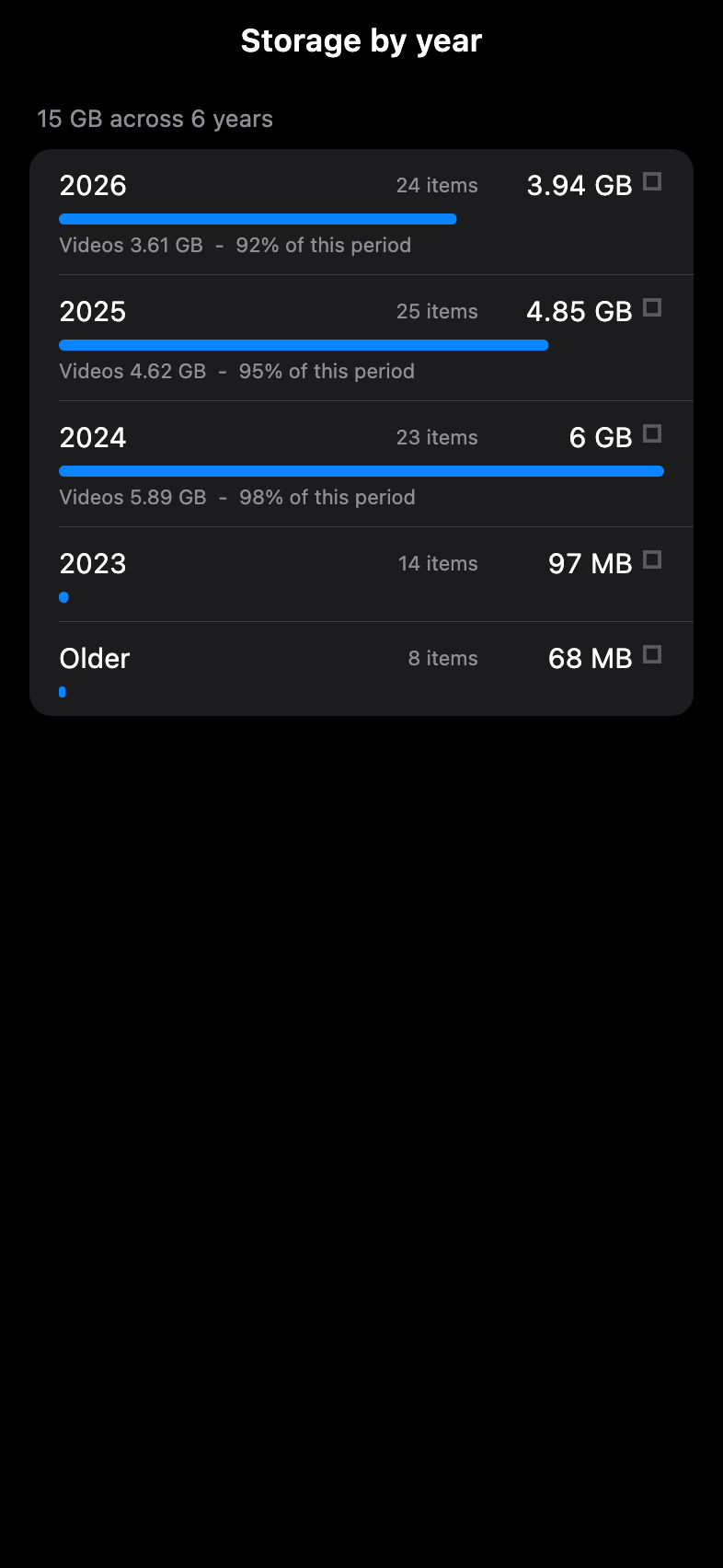
Drill from media type to size band to year to month, down to the individual items. See which years weigh the most.
With iCloud optimisation on, your library is bigger than the space it takes on this device. Heft separates the two.
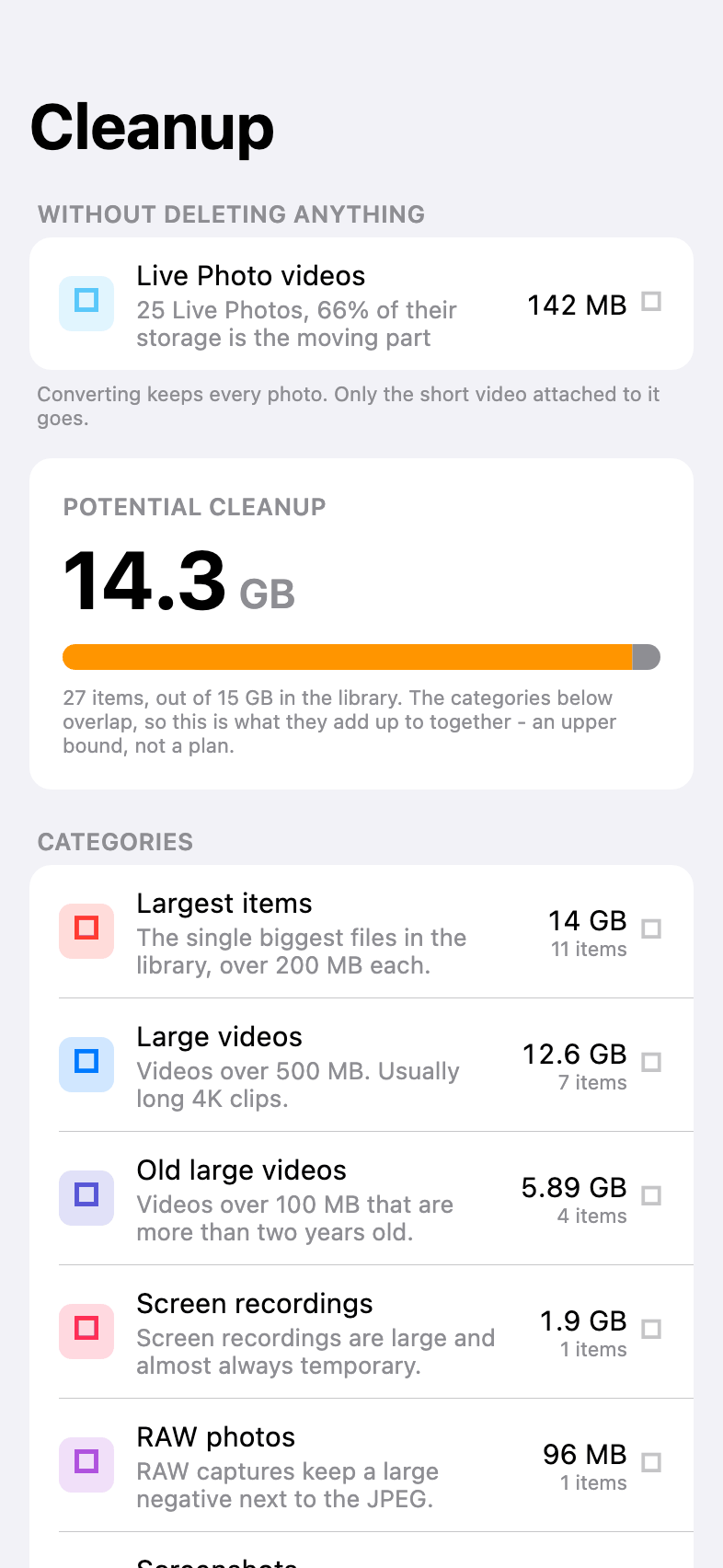
Named rules you can read: large videos, old screenshots, screen recordings, RAW and burst extras. Nothing is preselected.
Select all, invert or none across the whole filtered result, or swipe through items one by one and queue candidates first.
What you shot on today’s date in earlier years, grouped by year. The one screen that is not about storage.
Three ways to get storage back that keep every picture.
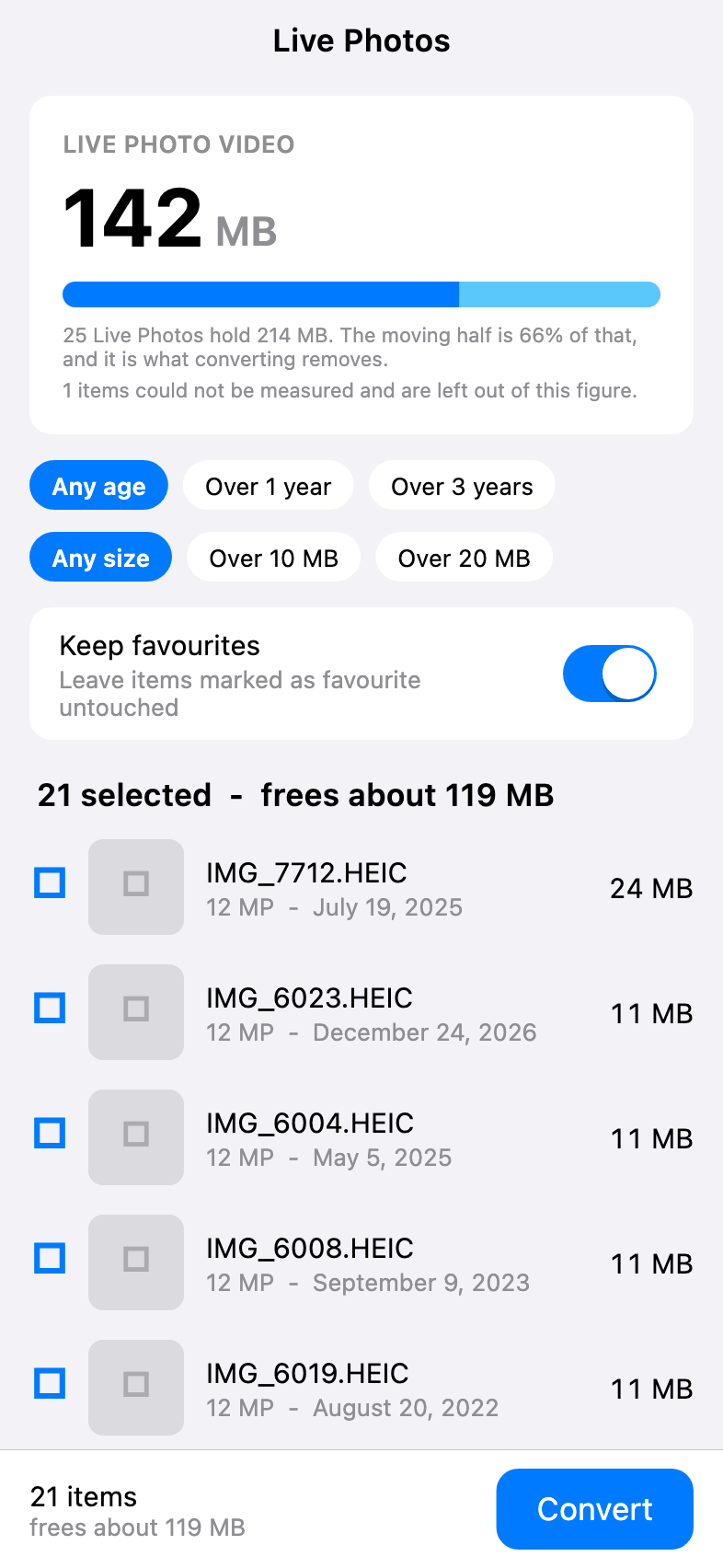
A Live Photo is a picture plus a short video. Heft keeps the picture, exactly as it is, and removes the video. The capture date, location, favourite mark and albums stay.
The original moves to Recently Deleted first. The space comes back once that empties, after up to 30 days.
Photos far larger than anything they will be viewed on are re-saved at 12 MP (what the iPhone camera shoots), 8 MP or screen size. RAW photos and Live Photos are left alone.
The saving is shown as an estimate, and the result screen reports what was really freed.
Copy originals to a folder on an external drive or a network share, byte for byte, each file checked with a checksum. Then remove them from the phone if you like.
Bring them back whenever you want. Live Photos return as Live Photos.
Free to try: the first 100 Live Photo conversions and the first 100 shrinks are free. After that there is a one-time unlock, with no subscription.
No account. No server. No uploads – not the photos, not even the metadata. Heft has no analytics, no ads and no tracking, and its only third-party code is an on-device database library.
Heft collects no data and does not track you.
It reads your library to measure it, and changes it only when you convert, shrink, copy or delete.
The index only remembers whether a photo has a location. Nearest-town names are looked up on your device.
Overview → Privacy & data → Erase all app data removes everything the app stored. Your photo library is unchanged.
Heft reads your library once and builds a private index on your device. You can use the app while it works.
See the breakdown, the largest items and the videos. Follow any number down to the individual photos behind it.
Convert, shrink, copy or delete. Each step shows what it will do first, and nothing happens until you confirm.
Screens show a sample library.
No. Nothing is deleted automatically and nothing is preselected. Every deletion, conversion or shrink is started by you, and iOS asks for its own confirmation before anything is removed.
There are a few reasons. With iCloud optimisation, items kept only in iCloud have no file on the device. An edited photo keeps the original as well as the edit, and Heft counts both. System data such as thumbnails, caches and face data belongs to Photos and is not counted. Hidden items are excluded, and shared album content is stored by iCloud. Heft marks every figure as measured exactly or estimated.
No. Analysis runs entirely on your device. The only download is an original that exists only in iCloud, and only if you allow it so Heft can convert, shrink or copy it. iOS does that download, and the option is off by default.
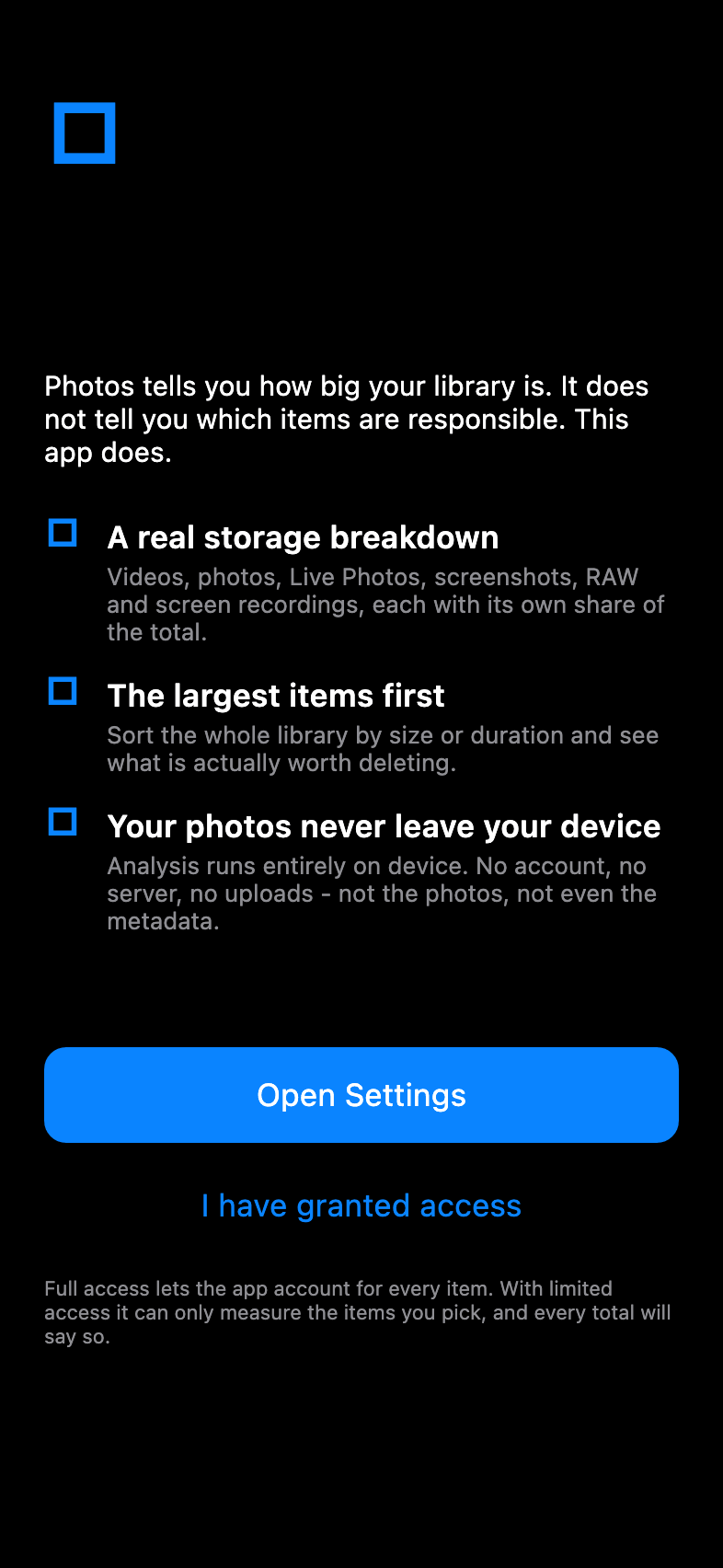
Access to your photo library. With limited access Heft can only measure the items you pick, and every total says so.
The picture stays, but Live Photo playback cannot be brought back. The original sits in Recently Deleted for up to 30 days, so until that is emptied you can still recover it from the Photos app.
iPhone and iPad with iOS 18 or later.
No. Analysing is free. The first 100 Live Photo conversions and the first 100 shrinks are free, and after that there is a one-time unlock.
Heft - Photo Storage is on the App Store for iPhone and iPad (iOS 18 or later). Search for “Heft - Photo Storage”.